Nothing to code
The code is added to your public pages automatically. You touch no file, and a theme update breaks nothing.
Two minutes in wp-admin. Your stats start running, no cookies, no banner.
€4 per month — 100,000 pageviews, 10 sites. Ex. VAT, 14-day trial, no card.
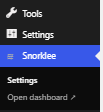
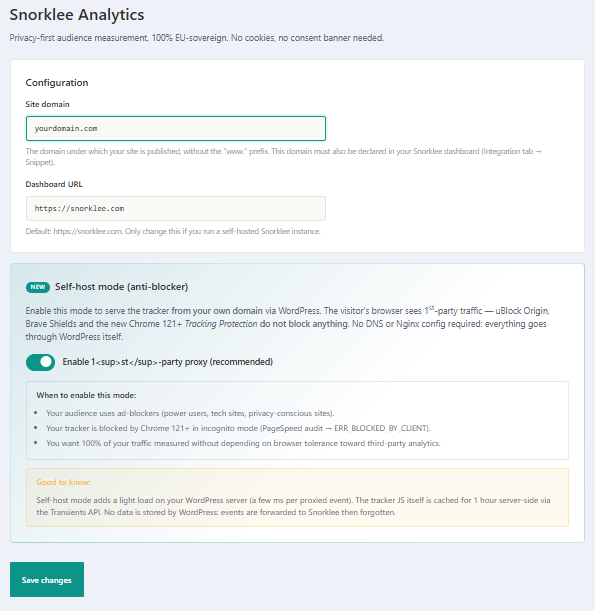
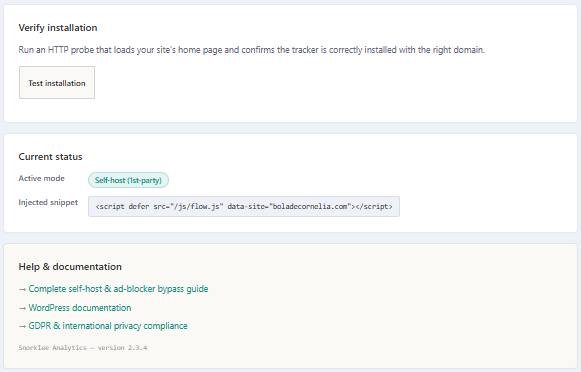
The code is added to your public pages automatically. You touch no file, and a theme update breaks nothing.
“Standard” goes through snorklee.com. “Script served by WordPress”, recommended, serves the code from your own domain: it escapes blockers that filter on the filename, and you keep country, unique visitors and sources. “Full relay (self-host)” escapes every blocker, but Snorklee then only sees your server: no country, no region. The plugin states that cost before you choose.
One click reads your home page and checks that the code is there, with the right domain, and in which form. It does not prove that visits are counted: your first visits in Statistics confirm that.
Server-side, the plugin also counts the AI robots that declare themselves through their user-agent when they come and read your pages: per robot, per page and per day.
Connect your accounts. Clicks, impressions and positions land next to your visitors.
You authorize Snorklee from your own Google account, in a few clicks. Your queries, pages and positions land in the dashboard.
Paste the API key from your Bing account: the second engine shows up in the same screen. Few tools bother to fetch it.
Snorklee never pushes anything to Google or Microsoft. It reads your search stats, nothing else. You can disconnect whenever you want.
Search Console and Bing Webmaster remain outside services: these two sources sit outside Snorklee's European perimeter. You switch them on, or not — the rest of the measurement does not depend on them.
Create your site in Snorklee, install the plugin, run the test.